Why Most Resumes Never Reach a Human Recruiter (And How ATS Screens You).
Why do resumes get rejected before recruiter review? Learn how ATS software screens applications, avoid formatting and keyword traps, and pass the screen.
 By Shivani S, Co-founder, ReachRole

If you have submitted dozens of applications on Naukri, LinkedIn, or company career portals and received nothing but immediate rejections or complete silence, the issue is almost never your actual qualifications. In 2026, corporate job postings receive anywhere from 250 to over 1,000 applications within 48 hours. Human recruiters cannot physically read through hundreds of pages for every opening.
To manage this flood, hiring teams rely on a two-stage screening funnel: first, algorithmic parsing and keyword ranking via Applicant Tracking Systems (ATS); second, a rapid 6-to-10-second human recruiter scan. If your resume contains parsing traps, lacks the exact technical keywords matching the job description, or buries your achievements under vague task lists, it gets filtered out mechanically before a human ever sees it.
Why do most resumes get filtered out before reaching a human recruiter?
Resumes get filtered out before a human recruiter ever sees them due to three primary ATS bottlenecks: unreadable formatting (multi-column tables, text boxes, contact details hidden in headers/footers), missing role-specific keywords that fail recruiter boolean search queries, and unquantified job bullets that list generic duties instead of measurable outcomes. In high-volume hiring (such as on Naukri, LinkedIn, and corporate portals), resumes scoring below 60–75% keyword relevance are dropped automatically before human shortlisting occurs.
Use this guide well
Treat an ATS score as a revision checklist, not a hiring guarantee. Prioritize readable formatting, truthful role keywords, and proof.
The 3-Stage Screening Funnel: Where Resumes Get Dropped
Understanding how modern recruiting pipelines operate explains why qualified candidates get rejected silently without feedback. Applications pass through three strict filtering stages:
- Stage 1: The Automated Parser — When you upload your PDF or DOCX file, the ATS text-extraction engine strips away design styling to extract structured data fields (Full Name, Contact Email, Phone, Recent Job Titles, Skills, and Education). If your formatting is non-standard (e.g. multi-column layouts, tables, or text boxes), text gets scrambled and the parser fails initial ingestion.
- Stage 2: Algorithmic Keyword & Filter Matching — Recruiters run Boolean search strings (e.g.
Java AND Spring Boot AND (AWS OR Docker)) and filter candidate lists by exact job titles, minimum experience, and required skills. Resumes missing these exact terms rank at the bottom of the candidate pool. - Stage 3: The 6-to-10-Second Human Recruiter Scan — Recruiters only review the top 10% to 15% of parsed applications. If your resume passes the machine screen but buries key achievements under vague task lists on page two, it fails the human glance test.
Common Formatting Mistakes That Break ATS Parsing
Graphic-heavy resumes built on design platforms like Canva, Photoshop, or multi-column Word templates look attractive on screen, but they frequently fail when processed by ATS parsers (such as Workday, Taleo, Greenhouse, or Naukri Resdex).
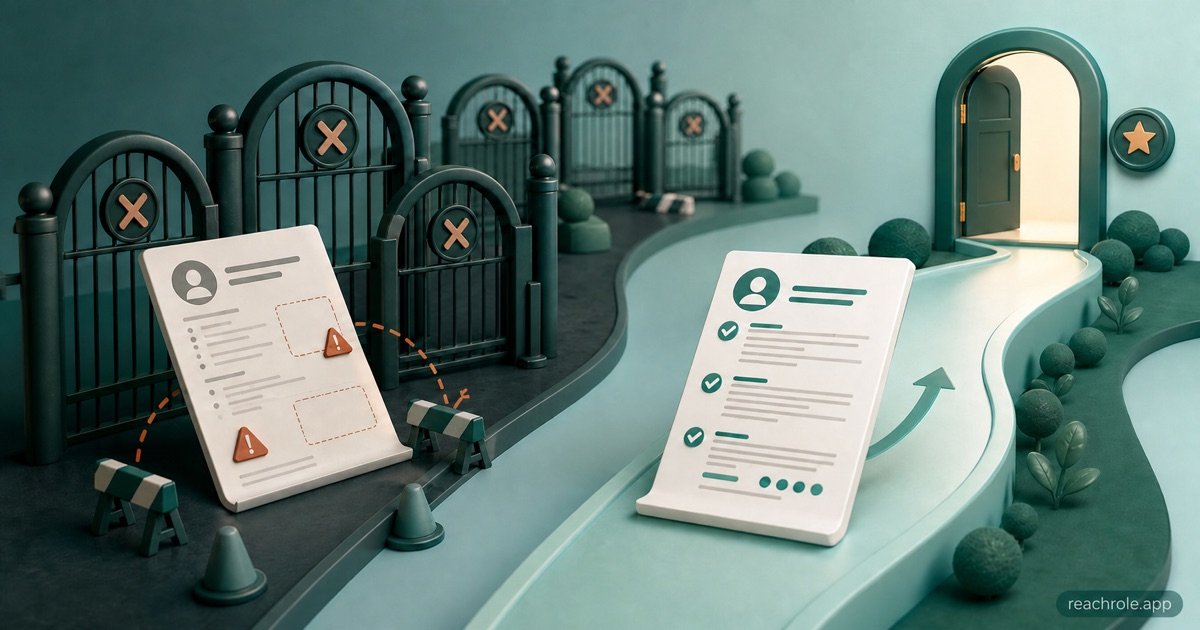
When an ATS reads a multi-column document, it scans across the page horizontally. The job title in your left column merges with unrelated bullet points in the right column, corrupting your employment history into unreadable text.
To ensure your document parses cleanly without formatting traps, you can download tested templates from ReachRole's Free ATS Resume Templates catalog.
Keyword & Phrasing Mistakes: Vague Tasks vs Exact Skills
Recruiters on Naukri and LinkedIn search for specific technical terms and tools, not generic descriptions of responsibilities. If a job posting requires FastAPI, Docker, and PostgreSQL, a resume that simply states "worked on backend web development and database management" will not match the search query.
Furthermore, simply listing buzzwords in an unverified skills block is not enough. You must integrate target keywords directly into your experience and project bullets with measurable context.
The Proof Trap: Duties vs Quantifiable Outcomes
Even after clearing mechanical keyword filters, a human screener will discard your resume if it reads like a copy-pasted job description. Recruiters look for proof of execution, scale, and business impact.
Use the proven formula: Action Verb + Specific Context / Tool + Measurable Business Outcome. If you cannot find exact dollar amounts, use percentages, team sizes, time saved, or bug reduction rates.
Check if your resume passes ATS filters before applying
Upload your resume with any job description. ReachRole shows your match score and exactly which keywords are missing — before you hit submit.
Scan my resume free →No credit card. No signup required for your first scan.The 5-Minute Pre-Application ATS Checklist
Before submitting your next application, run through this quick checklist to ensure your resume reaches a human reviewer:
- Run the Copy-Paste Test: Open your PDF resume, copy all text, and paste it into a plain text editor (Notepad). If sections merge, characters turn into question marks, or headings disappear, the ATS parser cannot read your document.
- Place Contact Information in the Body: Never place your email, phone number, or LinkedIn URL inside page header/footer margins where parsers ignore them.
- Align with the Top 5 Job Requirements: Scan the target job description for core hard skills and mirror those exact terms in your work bullets.
- Verify Metrics on Every Bullet: Ensure every project or job entry contains at least one quantifiable outcome (percentages, revenue, time saved, or team scale).
- Keep to 1–2 Clean Pages: Limit your resume to a single page if you have under 5 years of experience; never exceed 2 pages for senior professionals.
Check Your ATS Score Free Before You Apply
Rather than guessing whether your formatting parses or whether you have included the right keywords, test your resume against real job requirements before sending your application.
ReachRole analyzes your resume formatting, extracts your technical skills, and matches your profile against target job descriptions to give you an instant ATS readiness score and an actionable keyword checklist. Upload your resume to our Free ATS Resume Checker to spot issues and optimize your application in under 60 seconds.
Check your resume against these hiring standards
Upload your PDF to get an instant match score, detect missing keywords for your target role, and check single-column parsing.
Scan my resume free → ✓ No account needed · Takes 60 secondsSources
- Use Boolean to filter search results in Recruiter and Recruiter Lite — LinkedIn's own Recruiter help. Documents that recruiters filter with AND/OR/NOT and that keywords are matched against the profile card, Summary, Experience and Skills sections. Retrieved 4 September 2026.
- How can I search for resumes in Resdex? — Naukri's own recruiter FAQ, describing which resume fields the Resdex keyword search reads (designation, current organisation, institute). Published under a 2016 URL and not since dated by Naukri. Retrieved 4 September 2026.
Shivani S Co-founder, ReachRole
Co-founder of ReachRole. Writes about ATS screening, resume structure, and the Indian hiring process.