
Details buried in a header
Phone numbers and email addresses placed in a document header or footer are frequently dropped by parsers. The recruiter sees a profile with no way to contact you.
For Naukri applicants
What the score measures: ReachRole checks whether your resume text can be parsed, whether key sections are readable, and how well its role keywords match the job description you provide.
Independent check: this is a ReachRole diagnostic, not Naukri’s internal score. ReachRole is not affiliated with or endorsed by Naukri or Info Edge.
Free to check. No login for your first scan.
No account for the first scan. Free plan after that — no card.
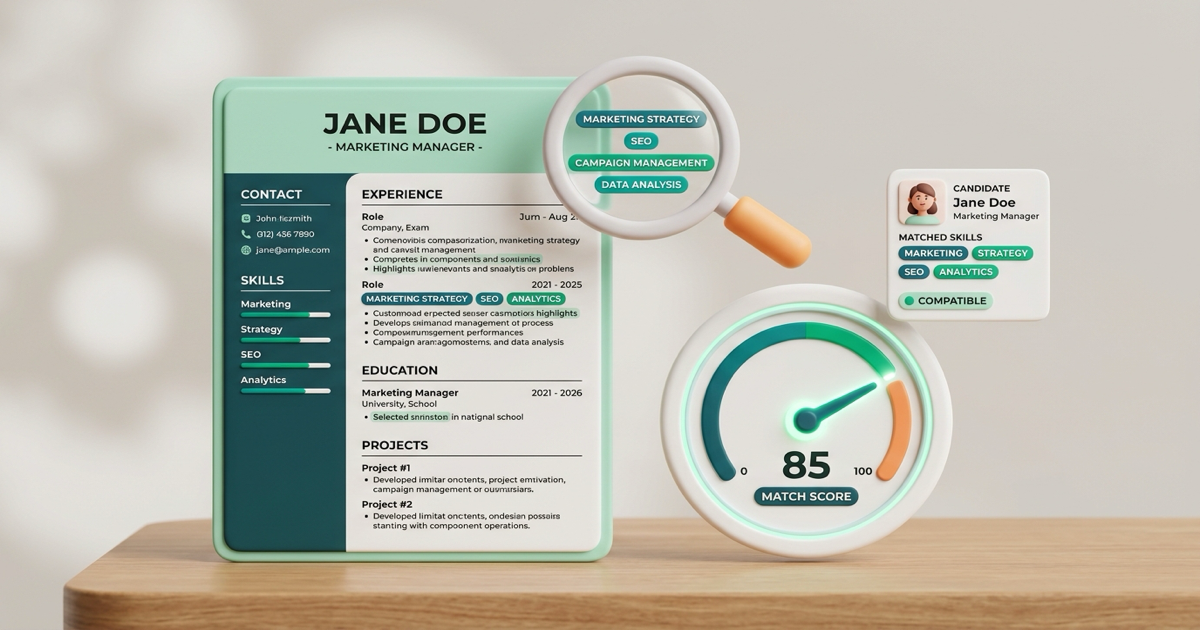
Detects hidden text in tables, headers, and column layouts that cause Naukri’s recruiter search to drop your contact info.
Checks your profile against the exact technical skills, frameworks, and job titles Indian recruiters filter by.
No credit card, no sign-up wall. Inspect your score, parse status, and fix suggestions in under 30 seconds.
A resume can look excellent to you and still be close to invisible in a recruiter's search. These are the failure modes that cause it, in rough order of how often they show up.
Phone numbers and email addresses placed in a document header or footer are frequently dropped by parsers. The recruiter sees a profile with no way to contact you.
Side-by-side columns get read straight across, interleaving your skills into your job history. The output is grammatically nonsense and matches nothing.
Resumes exported from design tools often draw text rather than store it. If you cannot select the text in a PDF reader, no parser can read it either.
"Growth Ninja" does not appear in any recruiter's search. The title in the job description does. Creative titles cost you the match.
Employment dates inside table cells frequently fail to associate with the right role, which makes your total experience compute wrongly on filters.
Keyword match is per-posting. The same resume sent to forty jobs matches well on a handful and poorly on the rest — which is why response rates collapse.
PDF or DOCX, the same file you would upload to Naukri. No account needed for the first scan.
Any posting you are actually applying to. The match is computed against that specific job, not a generic template.
You get an ATS score, the parsed view of your resume so you can see what a machine actually extracted, and the keywords the posting expects that you are missing.
Several tools ranking for this search claim to show your exact Naukri score. That claim does not hold up, and we are not going to make it.
Naukri's internal scoring is theirs, unpublished, and has no public API. Nobody outside Info Edge can reproduce it, whatever the landing page says.
ReachRole is an independent tool. Naukri is named here only to describe what the check is useful for.
A clean parse and a good keyword match get you seen. What happens next is your experience and the market, and no tool changes that.
No, and be careful with any tool that says it does. Naukri's internal scoring is theirs and is not published or available through an API, so nobody outside Info Edge can reproduce it. What ReachRole checks is the layer underneath it: whether your resume parses cleanly into structured fields, and whether it carries the keywords from the job description you are applying to. Those are the things that decide whether a recruiter searching on Naukri ever sees you.
The most common cause is parsing, not content. Recruiters on Naukri search a database of parsed fields, not your PDF. If your contact details sit in a header, your dates are in a two-column table, or your job titles are inside images or text boxes, the parser drops them and you become invisible to the search — however good the resume looks to a human.
Your first scan needs no account. A free account then includes 5 resume reviews and 10 AI actions every month, permanently. Pro is a one-time ₹299 30-day pass or ₹499 90-day pass if you want higher limits, and there is nothing to cancel afterwards.
A text-based PDF or a .docx. Avoid PDFs exported as images, and avoid resumes built in design tools where the text is drawn rather than typed — those parse to nothing. If you are unsure which yours is, try selecting the text in your PDF reader; if you cannot select it, no parser can read it either.
The ReachRole Chrome extension runs on Naukri and logs the jobs you apply to into your tracker, so your applications across Naukri, LinkedIn, Indeed and others land in one place. The extension is free and separate from the resume check on this page.
One well-parsed resume plus per-job tailoring beats maintaining two versions. Job-board profiles reward keyword coverage, so tailoring the resume to each job description you apply to is what moves the needle — that is what the tailoring feature does with the job description you paste in.
See how your resume parses and which keywords the posting expects. Free, first scan needs no account.
Check my resume freeAlso useful: ATS-friendly resume templates, the Chrome extension that tracks what you apply to on Naukri, and the ATS format guide for freshers.
Naukri and Naukri FastForward are trademarks of Info Edge (India) Ltd. ReachRole is not affiliated with, endorsed by, or connected to Info Edge (India) Ltd. Their names are used here only to describe the job board these resume checks are intended for.